Steps for customizing cloud images for linux using guestfish:
1. Install guestfish
yum install guestfish
2. Run the guestfish command on the image you want to customize.
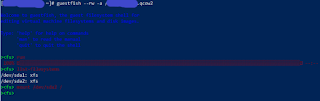
guestfish --rw -a
3. Type run in the next prompt and press Enter.
>run
 100% ⟦▒▒▒▒▒▒▒▒▒▒▒▒▒▒▒▒▒▒▒▒▒▒▒▒▒▒▒▒▒▒▒▒▒▒▒▒▒▒▒▒▒▒▒▒▒▒▒▒▒▒▒▒▒▒▒▒▒▒▒▒▒▒▒▒▒▒▒▒▒▒▒▒▒▒▒▒▒▒▒▒▒▒▒▒▒▒▒▒▒▒▒▒▒▒▒▒▒▒▒▒▒▒▒▒▒⟧ --:--
4. Type list-filesystems in the prompt to see the filesystems in the cloud image.
> list-filesystems
5. Mount the appropriate filesystem.
mount /dev/sda2 /
6. Make changes to the corresponding files as required.
7. Type exit to save changes and exit.
exit


 Powering The Shell
Leave a comment